
How to Organize a Minecraft Wrestling Tournament with Custom Skins
Introduction
Minecraft Skins—your go-to spot for awesome character skins that take your Minecraft adventures to the next level! If you’re a Minecraft enthusiast who loves wrestling, why not combine the two and organize your very own wrestling tournament within the game? Using custom skins to represent your fighters adds a whole new level of excitement and personalization. Here’s how you can organize a Minecraft wrestling tournament with custom skins and make it an unforgettable event!
1. Create Custom Wrestling Skins
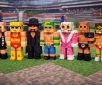
The first step in organizing a wrestling tournament is to customize your participants. At Minecraft Skins, we offer a wide variety of wrestler-themed skins, from iconic wrestlers to original creations. These skins can represent your characters in the tournament. You can select from classic wrestler skins, luchador-inspired masks, or even tag-team duos. Once you’ve chosen your skins, you can further personalize them by changing the colors, adding accessories, or even creating a signature look that fits your tournament’s theme.
2. Set Up the Arena
The next step is designing your wrestling ring. You can either create a simple ring using blocks or get more elaborate with stages, entrances, and even audience seating. Build the arena large enough to allow for multiple battles, and make sure there’s enough room for players to move around. Don’t forget to add a commentary booth or a judge’s table to make your tournament feel authentic!
3. Invite Participants
Once your skins are ready and the arena is built, it’s time to invite participants. You can organize a tournament with friends or open it to the Minecraft community. Set a date for the event and ensure everyone knows what custom skins to wear. Minecraft Skins makes it easy to download and apply custom skins so that everyone can look the part!
4. Establish Tournament Rules
Now that your arena and participants are ready, create some simple rules for the tournament. Whether it’s a knockout format, a round-robin-style competition, or a tag-team match, having clear rules ensures smooth gameplay. You could even set up a point system for moves, such as submissions, high-flying attacks, or ground maneuvers.
5. Live Stream or Record the Event
To share the excitement with a larger audience, consider streaming or recording the tournament. You can even set up live commentary with play-by-play action to make the event more engaging for viewers.
Conclusion
Organizing a Minecraft wrestling tournament with custom skins is a fantastic way to blend creativity and competitive fun! With Minecraft Skins offering a range of custom wrestler skins, you can ensure that your tournament is both thrilling and visually unique. Get your skins ready, build your arena, and let the wrestling games begin!
#MinecraftSkins #MinecraftWrestling #CustomSkins #WrestlingTournament #MinecraftFun #GamingEvents #MinecraftCreativity #WrestlingSkins #MinecraftAdventures #GamingCommunity