How to Make a Minecraft Skin for Your Basketball Team’s Mascot
Creating a Minecraft skin for your basketball team’s mascot is a fun and creative way to represent your team in the game! Minecraft allows you to customize characters using skins, and crafting a skin based on your mascot can add a unique touch to your gaming experience. Here’s a step-by-step guide to help you create a Minecraft skin for your basketball team’s mascot.
1. Gather Reference Materials
Before you start designing your skin, it’s essential to have a clear image of your mascot. Collect reference images of your team’s mascot from different angles to help guide the design. Pay close attention to key features, such as the mascot’s colors, outfit, facial expression, and any accessories (like a basketball or team jersey) to ensure the skin accurately represents the mascot.
2. Choose a Minecraft Skin Editor
There are various online skin editors available to help you design your Minecraft skin. Some popular tools include:
- Minecraft Skin Editor: This online editor allows you to design your skin pixel by pixel.
- Nova Skin: A popular skin editor with a large library of pre-made skins and customization options.
- Skindex: Another easy-to-use editor with a simple interface and a collection of community-created skins for inspiration.
Choose the editor that suits you best, or you can also use a graphic design tool like Photoshop or GIMP if you’re comfortable with those programs.
3. Start Designing the Skin
Basic Structure:
Minecraft skins are made up of a 64×64 pixel grid, where each section corresponds to a part of your character’s body (head, torso, arms, legs). Start by creating a blank canvas with the Minecraft skin template.
Work on the Head:
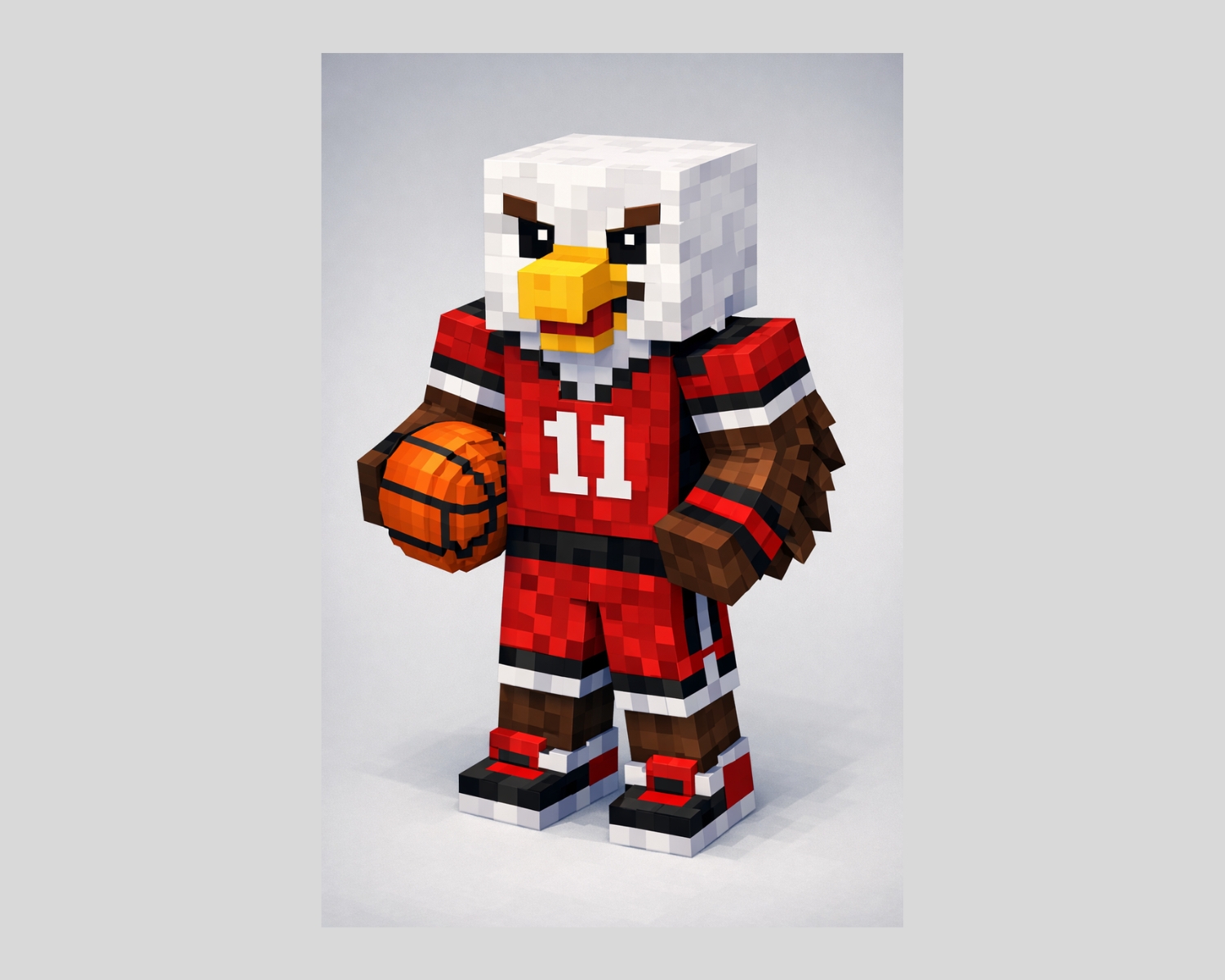
Begin with the head of the mascot. Depending on your mascot’s design, you may want to add details like eyes, eyebrows, a mouth, and the mascot’s distinctive features (such as a hat, mask, or face paint). Keep in mind that Minecraft characters have a square head, so make sure the features are clear and simple enough to be easily recognizable.
Design the Body:
Next, move on to the body. If your mascot has a specific jersey or uniform, make sure to replicate the design on the Minecraft skin. Use the team’s colors and logos to customize the shirt and shorts. You can also add accessories like a basketball or a team emblem on the chest or back.
Add Details:
Once you have the main design, add additional details like shoes, gloves, or any other accessories that your mascot might wear. Be sure to keep the details simple and clear since Minecraft skins are small and pixelated.
4. Preview and Adjust the Skin
As you design, regularly preview how the skin will look in Minecraft. Some skin editors provide a 3D view of the character, which allows you to rotate and see how the skin looks from different angles. This will help you ensure that all parts of the skin align properly and look good in the game. If any sections seem off, such as the mascot’s face or jersey details, adjust the pixels until you’re satisfied with the outcome.
5. Download and Apply the Skin
Once you’re happy with the skin, it’s time to download it. In most skin editors, you can download your skin file directly to your computer. The file will typically be in PNG format.
To apply the skin in Minecraft:
- Open Minecraft and log into your account.
- Go to the “Skins” section in the game settings.
- Click “Browse” and select the skin file you just downloaded.
- Save the skin, and it will automatically apply to your Minecraft character!
6. Share and Enjoy
After you’ve applied your basketball team’s mascot skin, you can show it off in multiplayer games or share it with others. If you want to let other team members or fans use the same mascot skin, you can share the download link or upload it to a community skin website.
Creating a Minecraft skin for your basketball team’s mascot is a fun and creative way to represent your team in the game. With the help of online skin editors and a little design effort, you can bring your mascot to life in the pixelated world of Minecraft. Whether you’re playing with teammates or showing it off to friends, your custom mascot skin will be a unique way to celebrate your team spirit!
#MinecraftSkin #BasketballMascot #MinecraftDesign #MinecraftCustomization #GamingFun #CreativeDesign